



Twitter’s updated your profile design again, only nine months after its last face lift. Users’ new Twitter profiles now includes a Facebook/Google+-like cover image and repositioned profile image.
The new striking design is being rolled out today to all users (find out below how to get it below). The option to add/change the banner image will be available under the Design link in Settings.
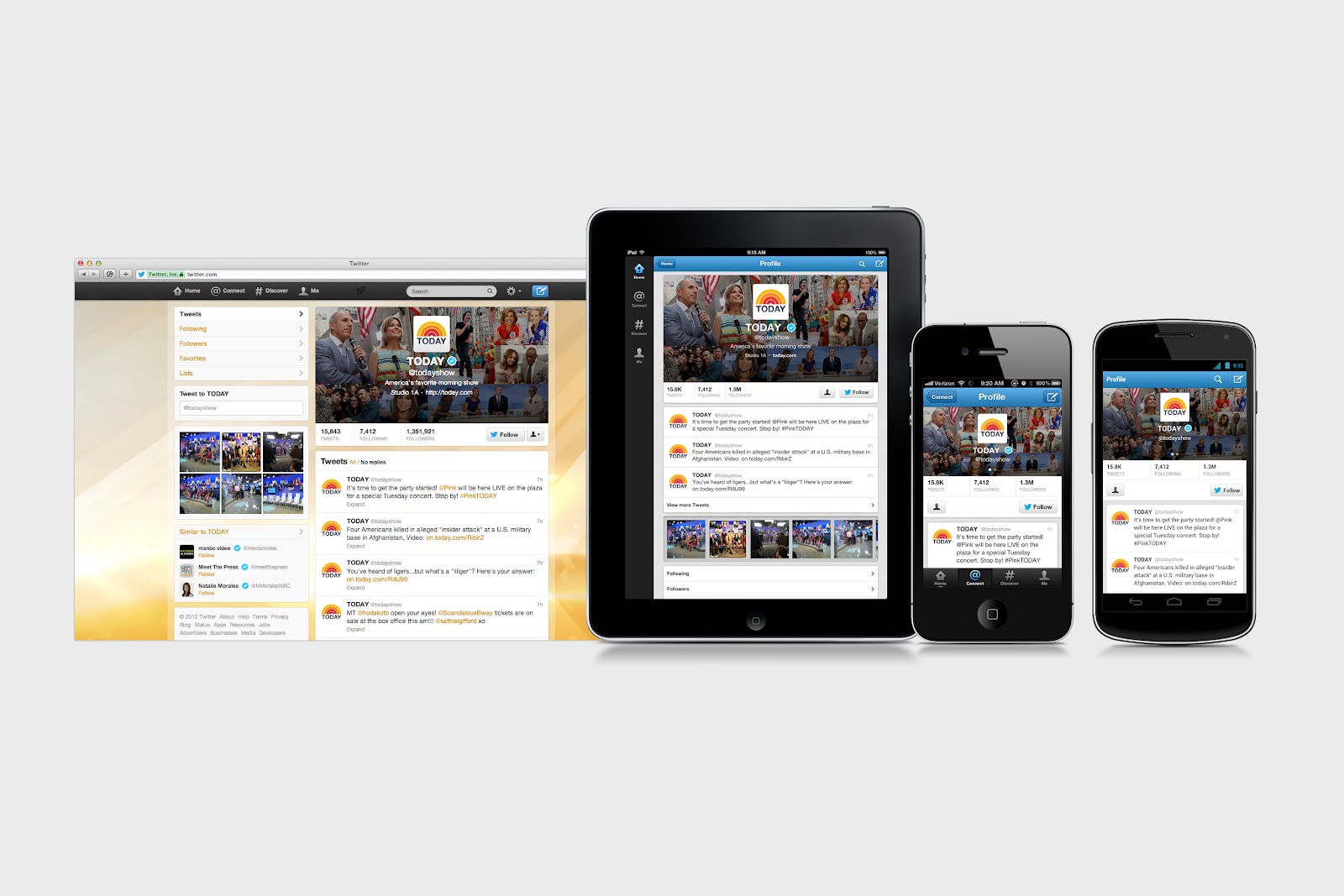
Twitter’s new design across multiple devices
Announcing the new design Twitter was keen to point out how well the new layout looks on mobile devices. This isn’t surprising since Twitter is getting a significant proportion of its impressions from mobile devices. Indeed, the smaller profile section and the concentration of users’ bio and profile picture suggest this design was done with mobile in mind.
How to get it now
And it’s not only the design that’s mobile-centric, so is the process required to get it. We weren’t able to update our profile through the Twitter website but were able to get it by updating the official Twitter app for Android (this should also work for iOS).
- Once the app is updated you should be able to add your own banner image by clicking on Me (top right of the screen – see image below) and then clicking the cog icon (on the left under your tweet count).
- Next select “Edit profile”. From here you can add a photograph (the banner image should be at least 1252px wide and 626px high) or take a photo.
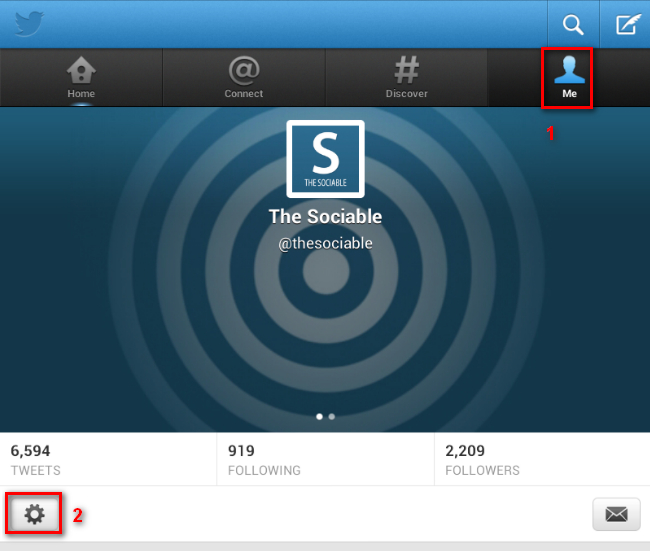
When you complete these changes your web Twitter profile will be changed to the new template.
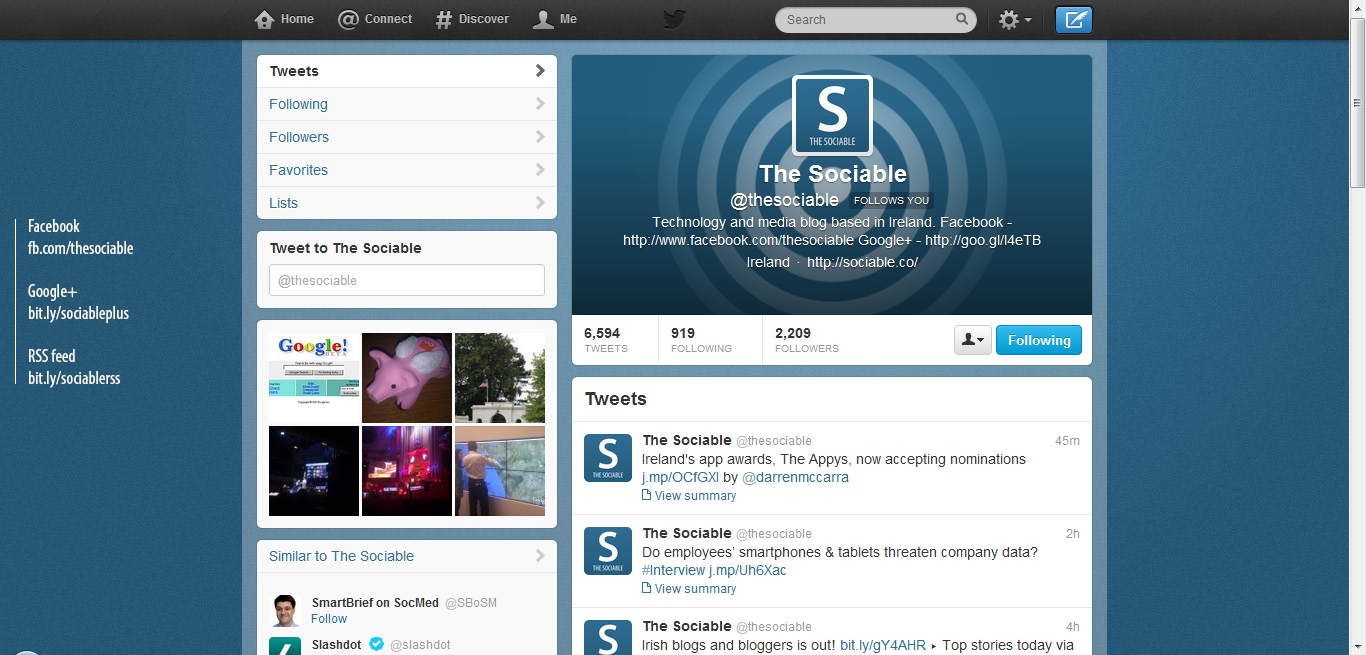
Twitter’s new profile design
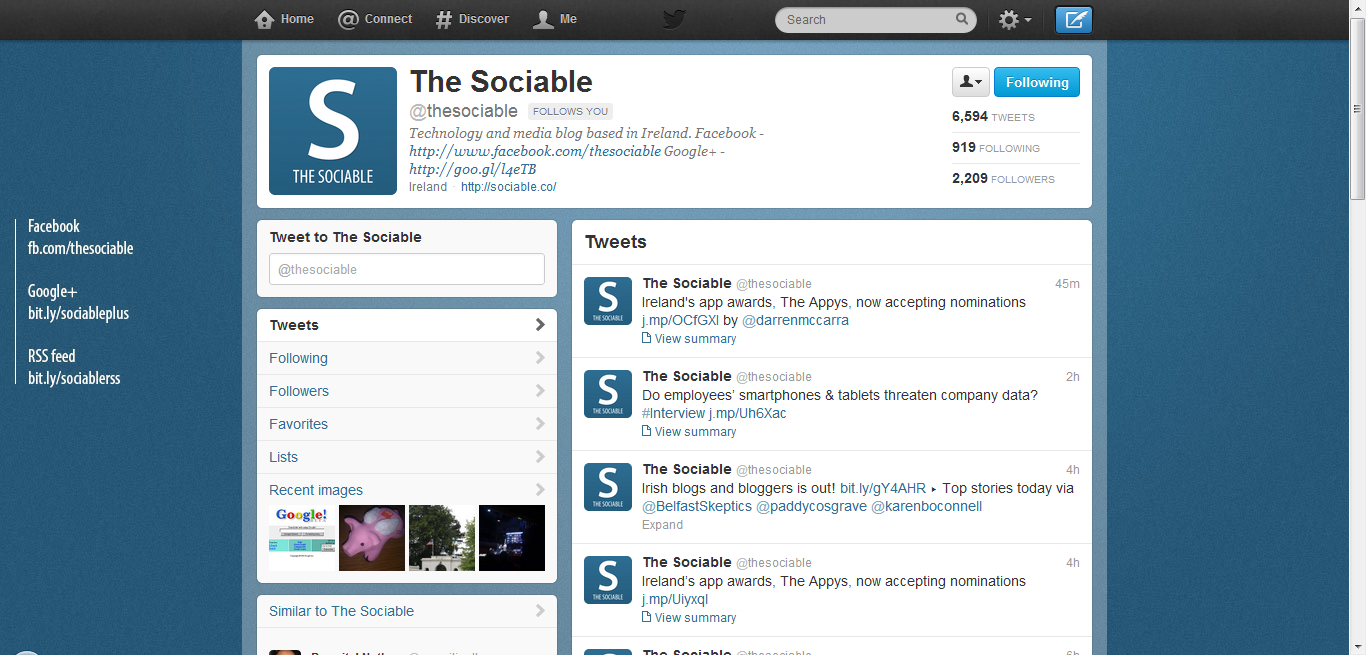
Twitter’s old profile design
Twitter says the new profiles are design to add personality to your profile.
New profiles also help you get to know people better through their pictures. Photo streams now appear below anyone’s most recent Tweets on iPhone, Android and iPad. Swipe through the stream to see the photos other users have shared or tap any thumbnail to view their photos in full screen… the header photo keeps your profile simple and consistent on iPhone, iPad and Android…
Some high profile Twitter users are already using the new system; including @TODAYshow, @RyanSeacrest, and @BreakingNews. You can see our new profile @thesociable.
Image change
The profile changes aren’t the only changes today. Twitter has updated its layout for tweeted images, which will now be larger and more prominent on your profile. The change comes as the company announced that it would be removing many prominent image hosting services from its official apps.