


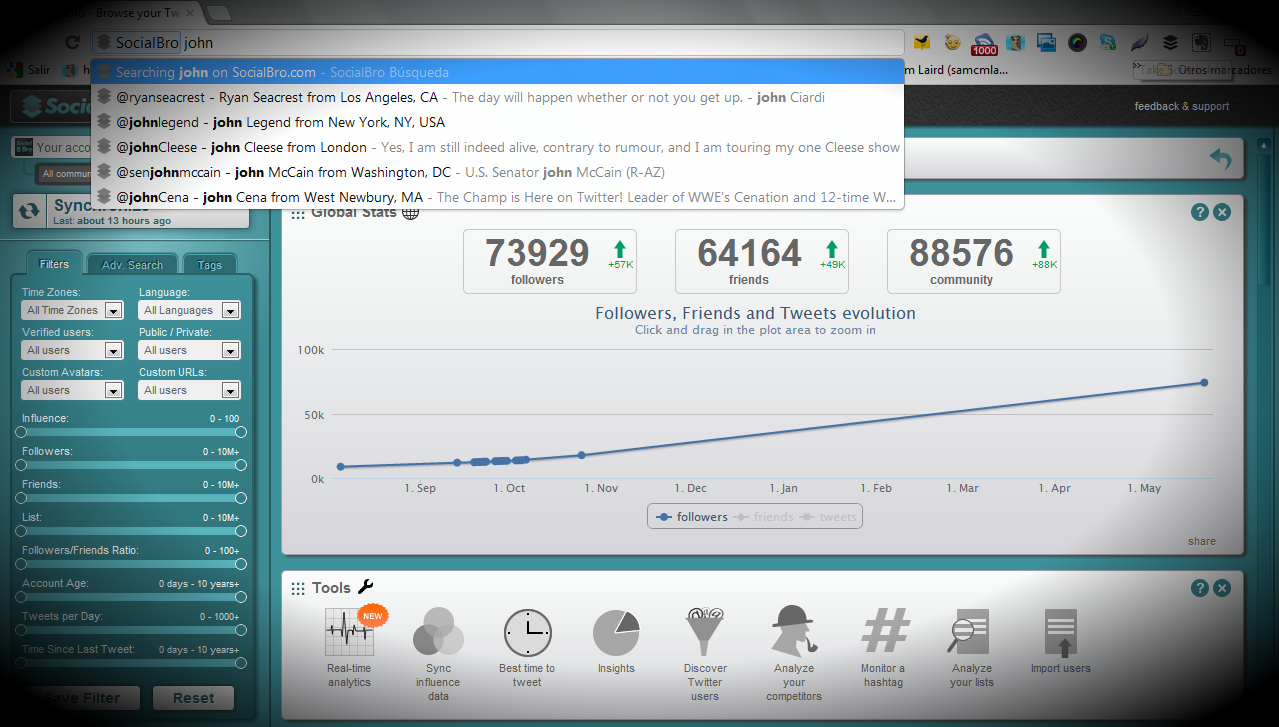


Search Twitter users from Google Chrome's address bar
An update to SocialBro’s Chrome app today means that Google Chrome users can now use the browser’s address bar (omnibox) to search people on Twitter.
SocialBro cite “the coming changes Twitter will make in its API” as a catalyst for releasing this update. After updating, Chrome users simply write SocialBro in its address bar followed by a space, and then their search term. This opens the search within SocialBro, along with the usual account data and management tools. It’s a simple feature but it’s great for quickly getting data about specific Twitter accounts.
SocialBro has been one of our favourite Twitter analytics and management tools ever since we were invited to try it in private beta almost a year ago. It was originally released as an Adobe AIR application last summer, with the team releasing a concurrent Chrome app that October.
Mozilla introduced a similar Twitter search feature to its Firefox browser last November, although with SocialBro, their focus is on data rather than simply facilitating a user’s path to Twitter.